
Point Cloud to BIM has become an essential component of modern construction workflows. These point cloud to BIM services convert laser-scanned spatial data into data-rich Building Information Models (BIM), enabling accurate representation of existing site conditions. By connecting physical construction environments with digital construction platforms, Point Cloud to BIM improves accuracy, reduces material waste, minimizes rework, and enhances decision-making, particularly in renovation, retrofit, and as-built construction projects.
As contemporary construction increasingly faces challenges such as outdated infrastructure, missing documentation, and complex building geometries, Point Cloud to BIM plays a vital role in reality capture, as-built verification, and digital twin development.
Understanding Point Cloud Data
What Is Point Cloud Data?
Point cloud data consists of millions or even billions of dense 3D points, with each point defined by precise X, Y, and Z coordinates. These data points are captured using advanced reality capture technologies such as:
• Terrestrial laser scanning (LiDAR)
• Mobile mapping systems
• Drone-based photogrammetry
Each point represents an exact location on a real-world surface, such as walls, floors, columns, beams, pipes, or façade elements, by creating a highly accurate digital replica of the physical environment.
From Point Cloud to BIM Model
The Point Cloud to BIM conversion process involves importing registered point cloud files (LAS, E57, RCP, RCS) into BIM authoring platforms such as Autodesk Revit.
During this process, BIM specialists:
• Trace architectural, structural, and MEP elements
• Define LOD (Level of Development) and LOI (Level of Information) requirements
• Embed parametric intelligence and metadata
• Align models with project-specific BIM standards
The final output is a high-accuracy as-built BIM model suitable for design coordination, quantity takeoffs, clash detection, construction planning, and facility management (FM).
Key Use Cases of Point Cloud to BIM Services
1. Renovation & Retrofit Projects
Point Cloud to BIM is highly effective when existing drawings are outdated, inaccurate, or unavailable.
• Enables clash-free design within existing constraints
• Supports precise MEP upgrades without unexpected demolition
• Reduces RFIs and costly site changes
2. Heritage & Historic Building Documentation
• Captures ornate details, irregular geometries, and non-orthogonal structures
• Creates high-fidelity digital records for long-term preservation
• Enables conservation planning with minimal site disturbance
3. Commercial & Industrial Buildings
• Ideal for tenant fit-outs, warehouse redesigns, and plant upgrades
• Improves coordination between architectural, structural, and MEP trades
• Enables offsite planning to reduce operational downtime
Step-by-Step Guide: Point Cloud to BIM Workflow
1. Capture (Reality Data Acquisition)
• Site conditions captured using laser scanning or photogrammetry
• Typical accuracy range: ±2 mm to ±5 mm
• Output: Raw scan files
2. Registration
• Multiple scans aligned into a single coordinate system
• Noise filtering and point density optimization performed
• Output: Registered point cloud files (E57, RCP)
3. BIM Modeling
• Import data into Autodesk Revit or Navisworks
• Discipline-specific modeling based on project scope:
- Architectural: walls, floors, ceilings
- Structural: beams, columns, slabs
- MEP: HVAC, piping, electrical systems
4. Quality Control (QC)
• Model-to-point-cloud deviation analysis
• Tolerance validation (typically ±10 mm)
• Clash detection and BIM model audits
5. Final Delivery
• Native BIM formats (RVT, IFC)
• 2D drawings, schedules, and quantity reports
• Models ready for coordination, construction, and FM workflows
Top Mistakes to Avoid in Point Cloud to BIM Projects
1. Poor Scan Planning
• Incomplete scan coverage leads to missing data
• Incorrect scanner resolution reduces model accuracy
2. Ignoring Modeling Tolerances
• Over-modeling beyond the required LOD increases cost
• Under-modeling limits constructability and usability
3. Lack of Clear BIM Standards
• Undefined LOD, naming conventions, or BIM Execution Plan (BEP)
• Results in inconsistent and unusable models
4. Insufficient Quality Assurance
• No verification between BIM model and point cloud data
• Hidden inaccuracies surface during construction
How Point Cloud to BIM Improves Renovation Accuracy
Renovation projects are especially prone to unforeseen site conditions. Point Cloud to BIM mitigates this risk by:
• Providing true-to-site geometry
• Eliminating assumptions based on legacy drawings
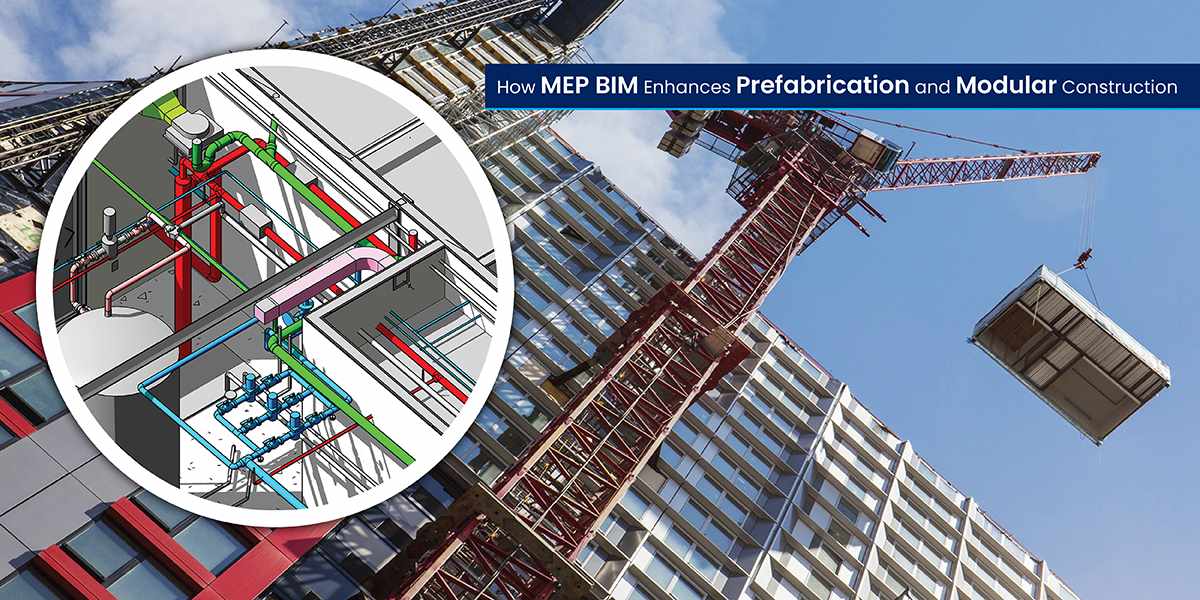
• Enabling precise prefabrication of MEP components
• Performing clash detection before construction begins
This is particularly beneficial for heritage buildings and complex structures with uneven walls, sloped floors, and misaligned elements.
Key Benefits:
• Reduced RFIs and change orders
• Higher design confidence
• Faster approvals and smoother coordination
Point Cloud to BIM vs Traditional Surveying Methods

Traditional surveys provide discrete measurements, whereas Point Cloud to BIM delivers a complete digital replica, making it far superior for modern construction and asset lifecycle management.
Conclusion
Point Cloud to BIM services enable:
• Reality-based and data-driven design
• Risk reduction in renovation and retrofit projects
• Seamless BIM coordination across disciplines
• Long-term facility and asset data management
As the AEC industry advances toward digital twins, smart buildings, and BIM-centric construction, Point Cloud to BIM is no longer optional; it is a strategic requirement for successful project delivery.




Write a comment ...